A bed’s shape can change the feel of a bedroom even when the surrounding furniture stays familiar. In this SenHOME Web recording, a rounded upholstered bed is replaced with a cream-coloured bed that has a taller, flatter headboard and a dark runner across the bedding. The 3D room design can then be reviewed with the existing shelving, bedside units and armchair still visible.
Start with the bed already in the room
The selected sequence shows a light bedroom with a large open shelf across the foreground, a hanging plant, two small cylindrical bedside units and an armchair. Two mirrors stand near the rear corner. The original bed has a low, rounded upholstered outline and light bedding. These surrounding objects provide references for comparing the replacement.
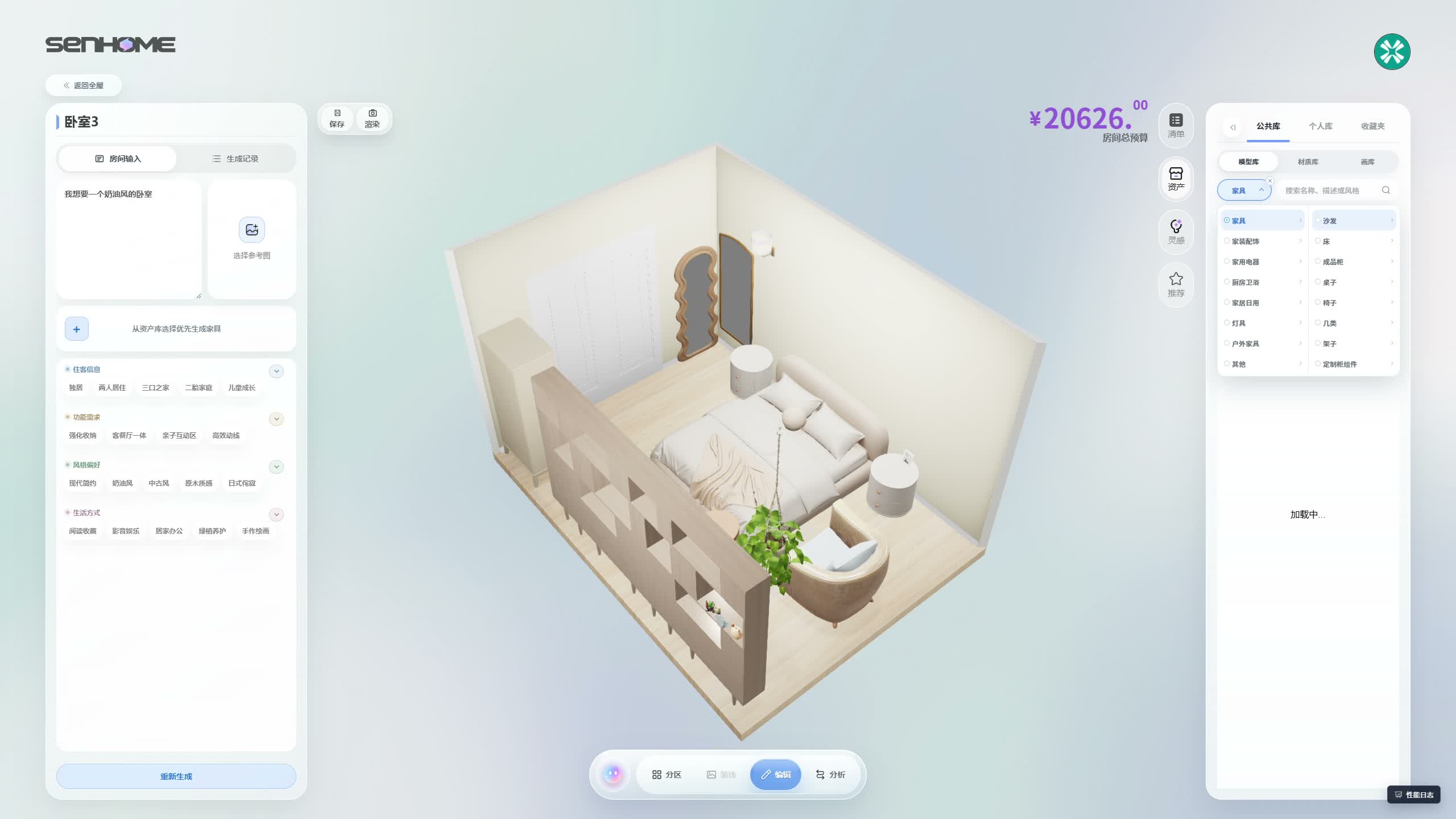
Search for a candidate and inspect the selected model
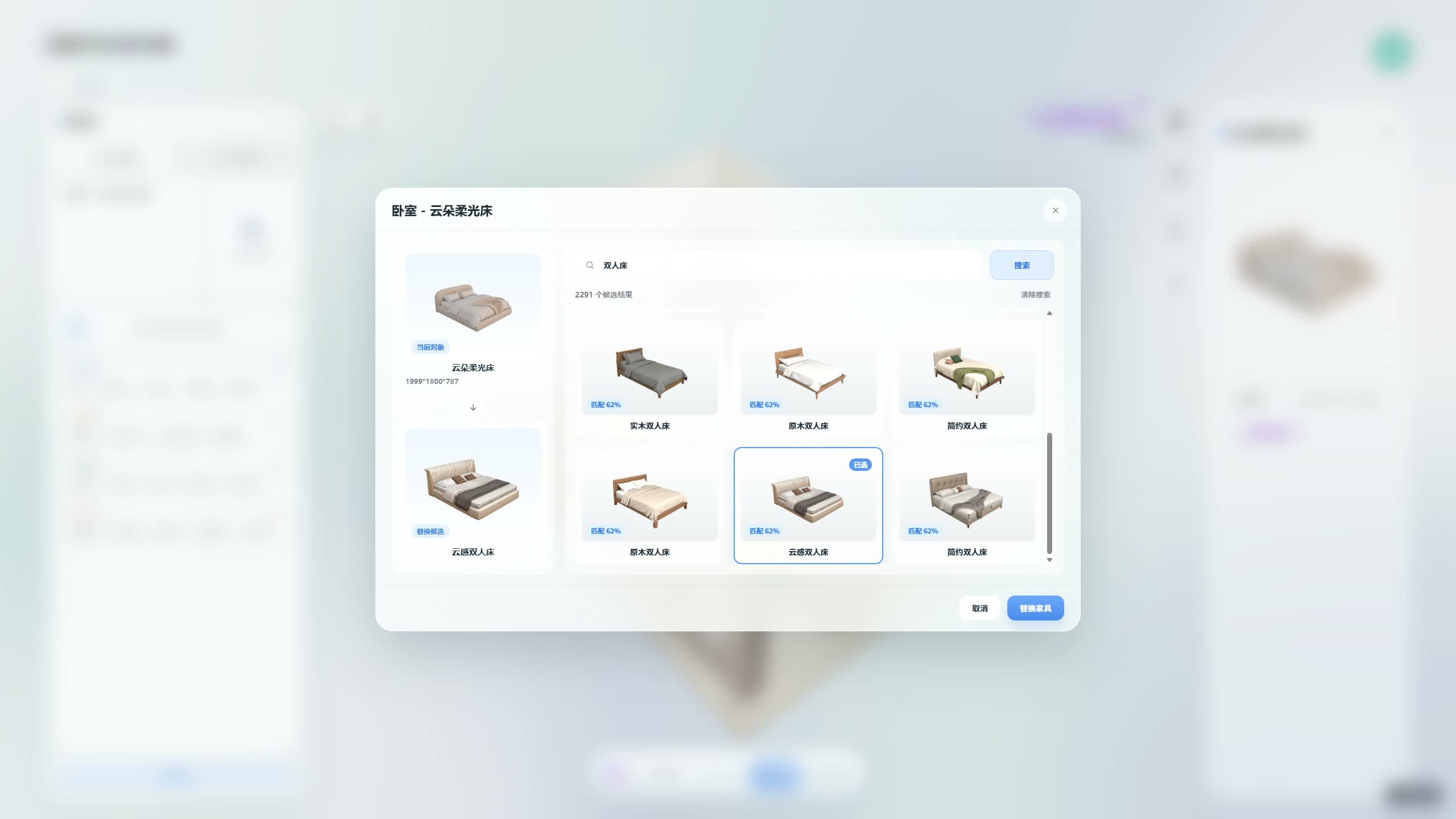
The furniture-replacement dialog shows the current bed on the left and candidate results on the right. The operator refines the search to double beds and browses the results. A cream-coloured double bed is selected, gaining a blue border and appearing in the replacement-candidate panel below the current object.
This view makes it possible to compare the current object with the proposed model before applying the change. Check the candidate’s shape and product details as part of that decision. If you are working with a bed you already own, keep its actual external measurements available for the later fit check.
Review the changed bed in the same bedroom
Back in the room, the new bed has a more upright headboard, a straighter base and a dark strip across the bedding. The shelf, mirrors, cylindrical units and armchair remain recognisable around it. The similar viewpoint helps compare the bed outline against those surrounding pieces. The frame captures the changed digital model within the editing workspace.
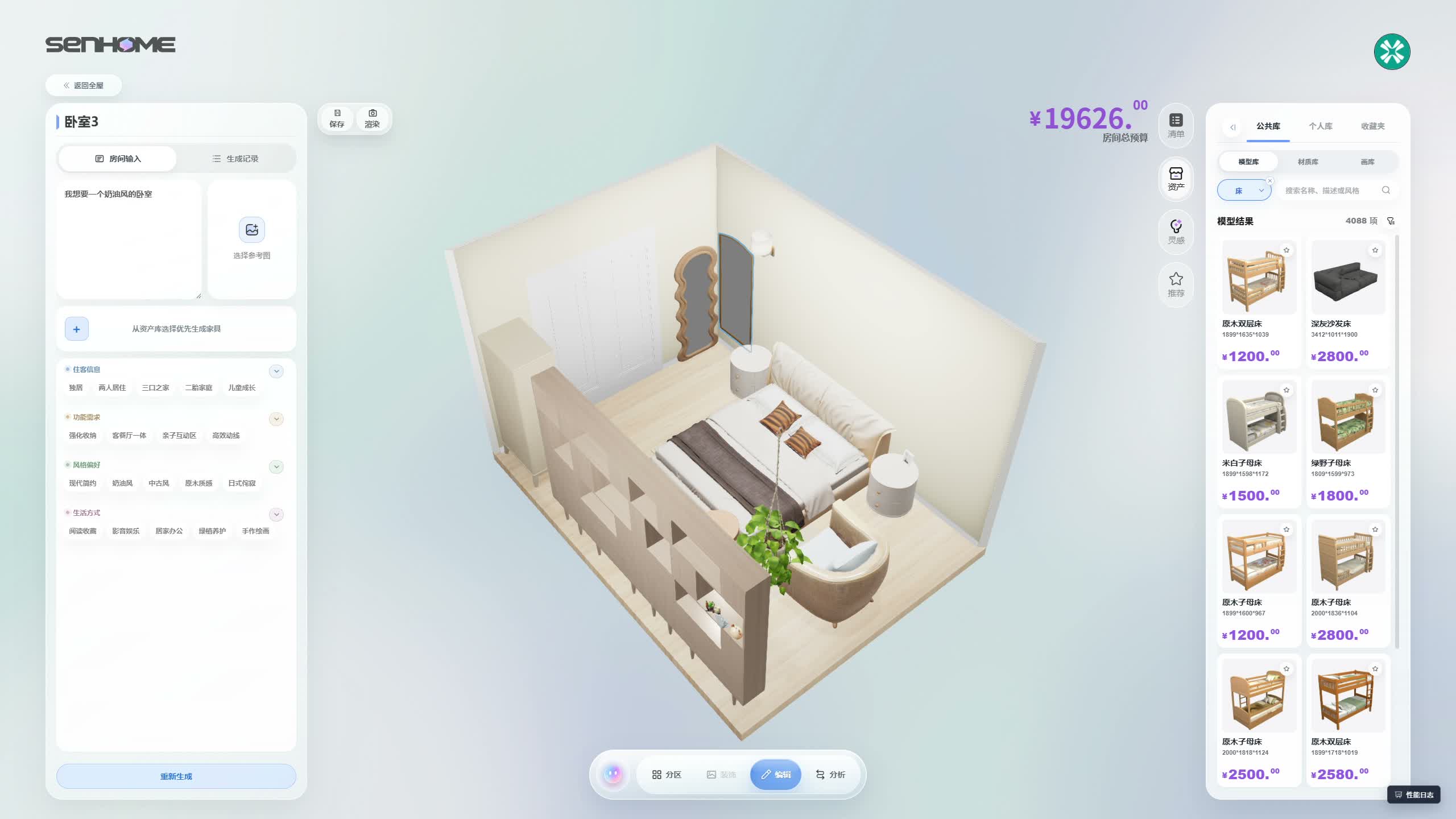
Use the comparison to decide what to measure
Note whether the headboard height and the bed’s outer shape suit the furniture you intend to retain. Measure the real bed frame, the route beside it and the space for opening nearby storage. The SenHOME Web overview introduces the workspace. For checking the paths around larger items, use the guide to furniture placement and circulation before settling on your own arrangement.