When keeping a chair beside a bed, furniture arrangement involves looking at its size and the direction its seat faces in relation to the surroundings. In this SenHOME recording, the same wicker chair’s display ratio changes from 100% to 110%, followed by a direction adjustment. The bed, round side table and shelving behind it provide references for following the digital model’s changes. The interface is in Chinese, and this article examines that recorded operation.
View the chair at 100% with the surrounding furniture
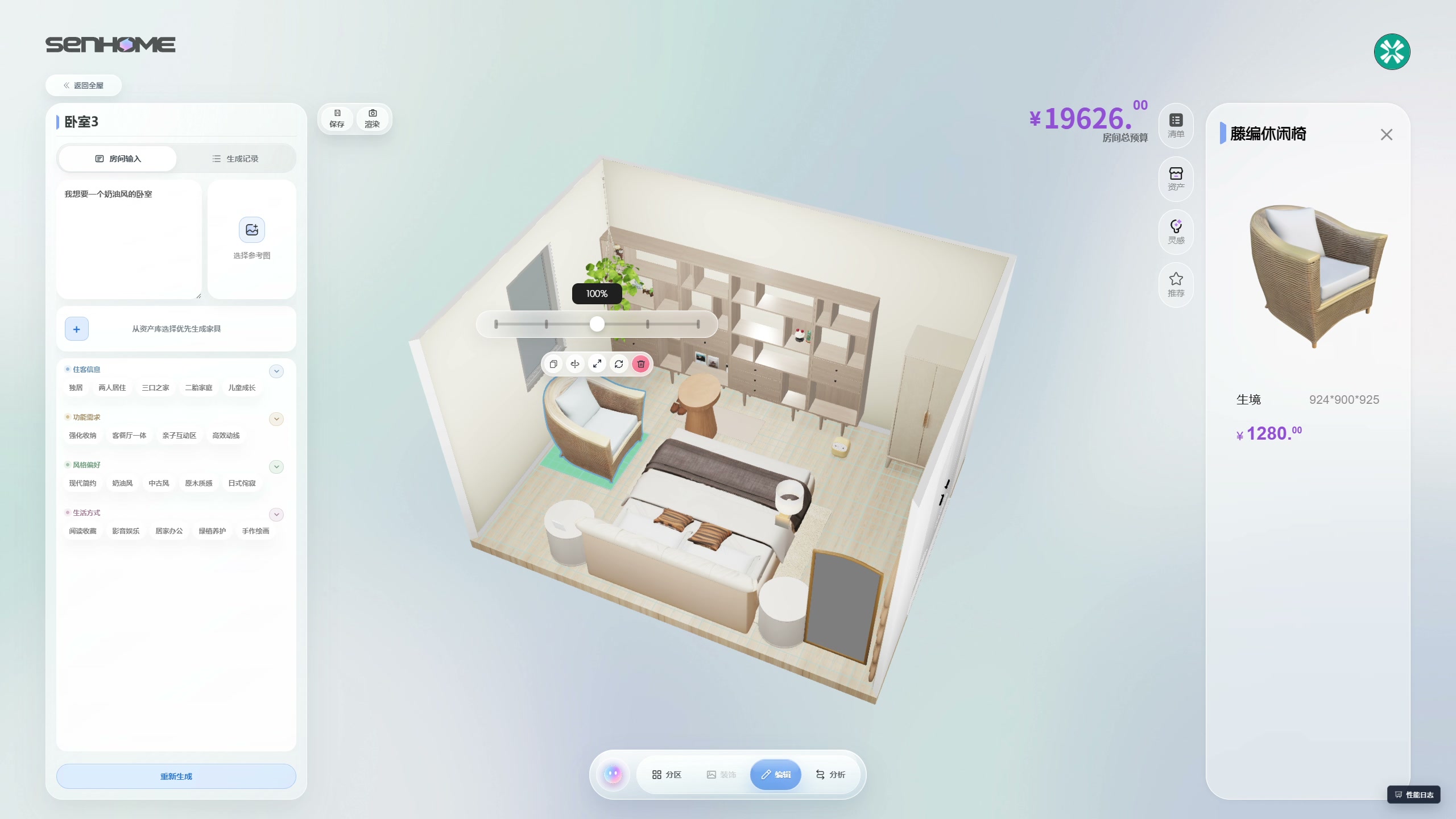
In the first selected view, the wicker chair by the window is outlined in blue, with a green area and floor grid below it. The ratio slider above shows 100%. A round table stands beside the chair with its white cushion, with the bed in front and shelving behind. Understanding these relationships first makes it easier to compare how far the chair’s outline expands in the next image. The SenHOME Web introduction presents the product workspace.
Compare the model outline at 110%
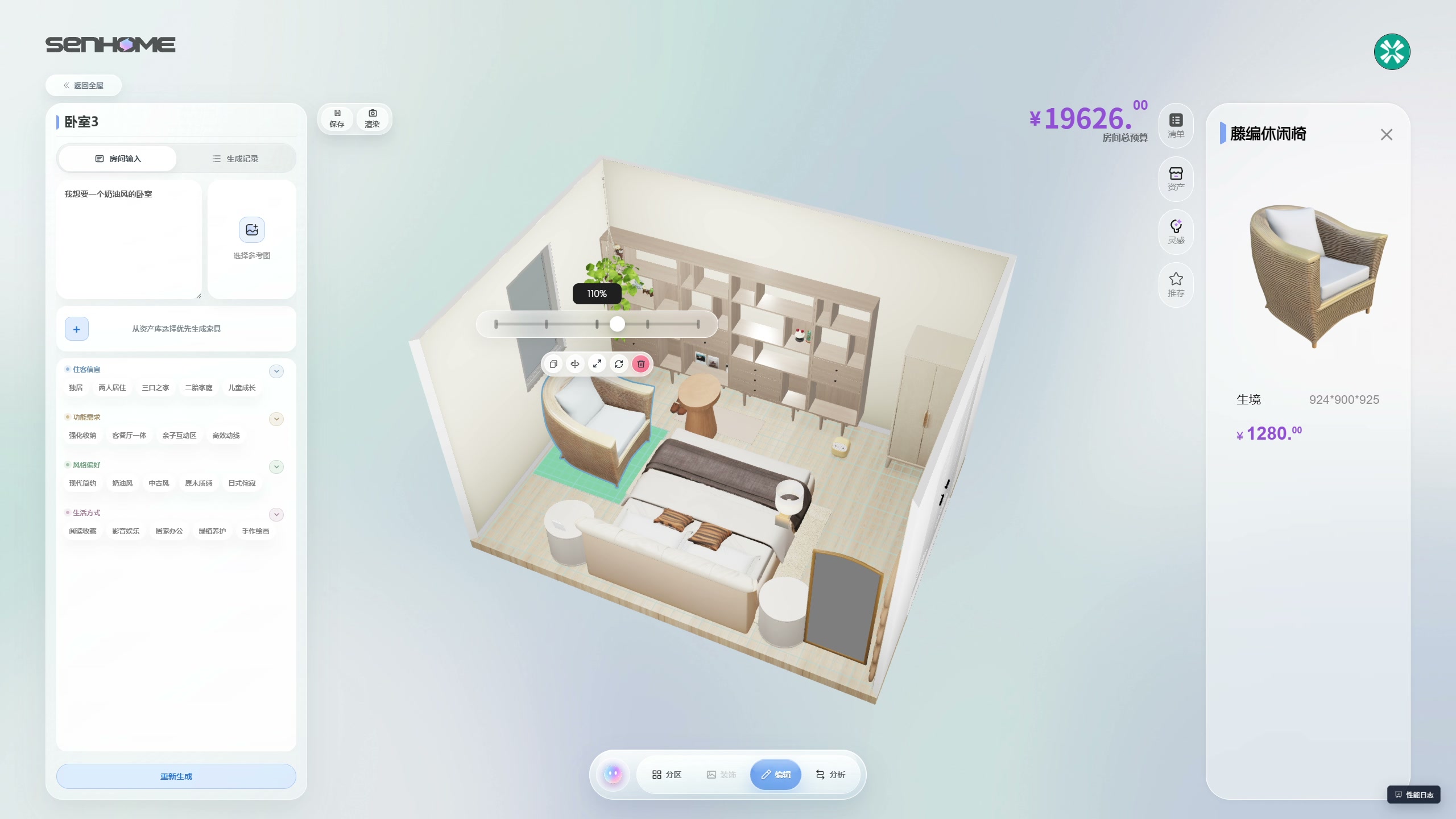
In the next view, the same chair’s ratio slider reads 110%, and its model looks larger. The camera viewpoint and surrounding furniture are almost the same, so you can follow the backrest edge and armrest relative to the bed and table. This compares the digital model’s size. Rather than immediately choosing the larger option, you can record which gaps raise questions. The dimensions in the model information on the right cannot be reinterpreted as actual dimensions after the ratio change.
Change the direction of the same chair
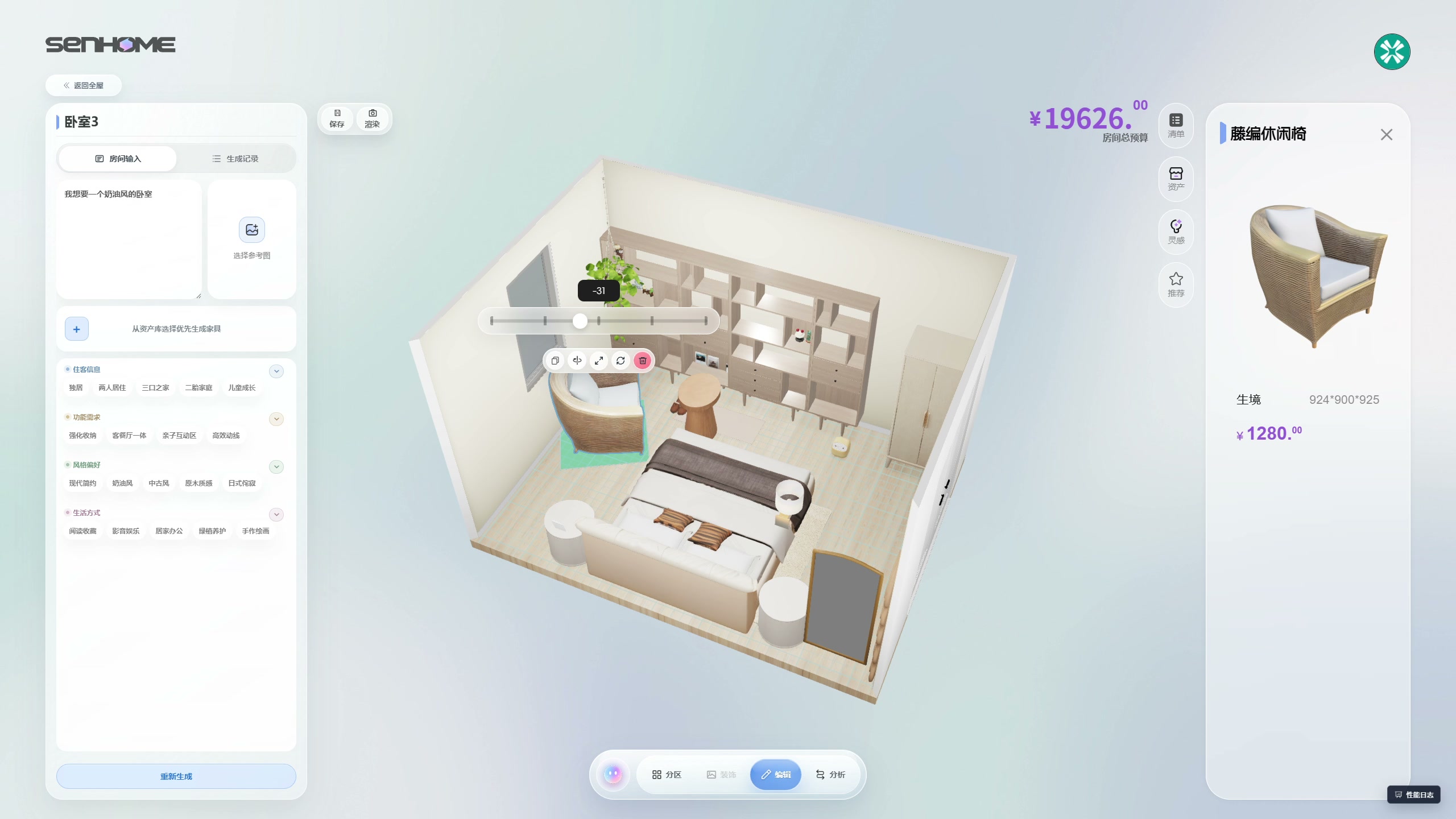
Next, the operation slider displays -31 and the chair’s direction changes. The white cushion and woven back become visible differently, while the round table and shelving remain comparison references. The number in the selected view has no displayed unit, so it is treated here as the recorded value. Read the chair’s changed facing relative to the surrounding furniture, without confusing it with a comparison made by viewing the whole room from another angle.
Organize the places that need checking in the real room
To use a chair in your room, confirm the selected product’s outer dimensions with the supplier and mark its outline on the floor. Try sitting, standing up, reaching for the side table and opening nearby storage to check the places that raised questions in the images. Enlarging a digital chair does not mean the same physical furniture can be resized. This excerpt also cannot guarantee automatic collision checks, dimensions suited to the user or sufficient walkway width. Saving is not confirmed in the selected images, and the recorded moments are not treated as the operation’s duration.
The guide to checking circulation with furniture along walls also provides steps for examining routes. Use model comparisons like this to narrow the questions, then check those places with actual dimensions and everyday movements before deciding on your furniture arrangement.